
The Nano Banana Pro Tutorial
Everything you need to go from zero to studio-quality images: writing prompts, editing photos, fusing multiple references, and keeping characters consistent — all in one guide.
What Is Nano Banana Pro?
Nano Banana Pro is the professional tier of Google's Gemini image generation, powered by Gemini 3 Pro Image. The original Nano Banana (Gemini 2.5 Flash Image) went viral for fast, realistic edits; the Pro model extends that with native 4K output, best-in-class text rendering, and the ability to fuse up to 14 reference images into a single scene.
Because it's built on a multimodal LLM, you talk to it like a designer, not a slot machine: it understands context, follows multi-step instructions, and keeps editing decisions across turns.
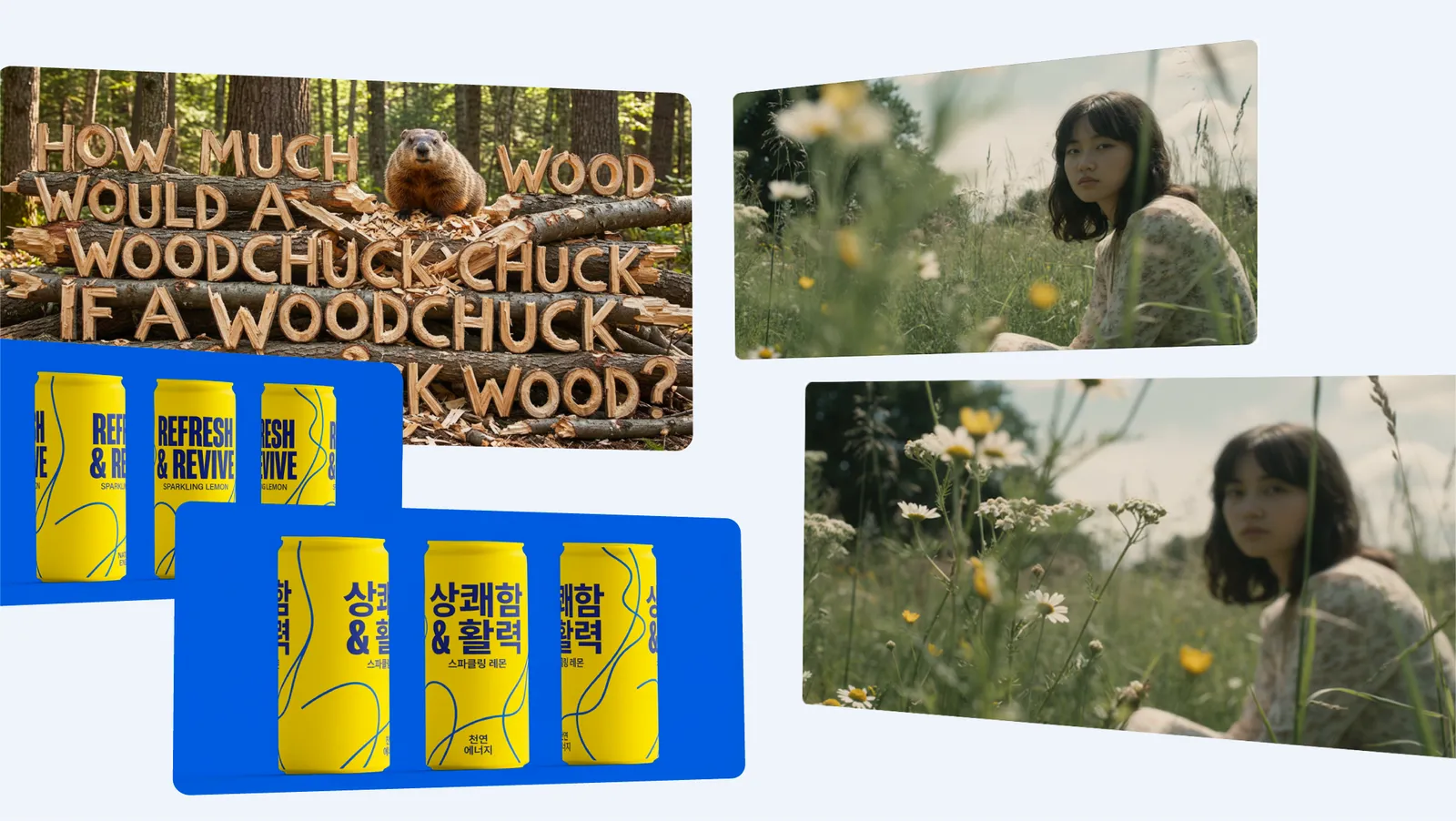
Getting Started
Describe your image in plain language
Type what you want as if explaining to a designer: subject, setting, lighting, style, camera angle. Nano Banana Pro's Gemini reasoning handles long, detailed instructions well.
Upload a reference photo (optional)
For edits or style transfers, drop in an image. The model preserves faces, products, and key objects while applying your requested changes.
Iterate conversationally
Don't restart from scratch. Follow up with 'make the lighting warmer' or 'remove the background person' — each turn keeps the rest of the image intact.
Export at up to 4K
Pick your resolution before generating the final render. 2K suits web use; 4K holds up for print and heavy crops.
Ready to follow along? Open the Nano Banana Pro generator in another tab and try each step as you read.
Text-to-Image Basics
A reliable prompt covers five bases: subject → action → environment → style → technical. Example:
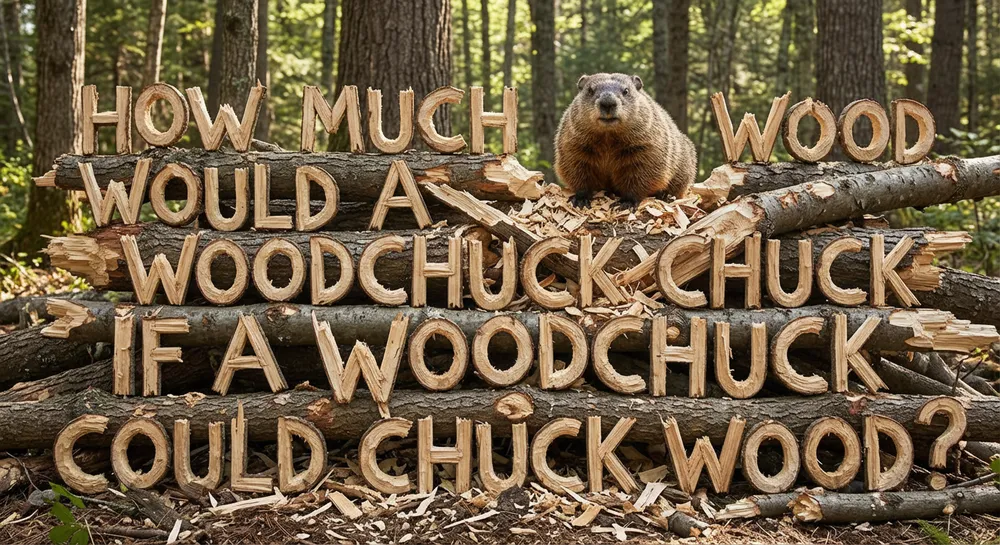
You don't need all five every time — but when results feel off, the missing element is usually one of them. For a curated library of ready-to-copy prompts across portraits, products, and art styles, browse the prompt collection, and see finished results in the examples gallery.
Image Editing
Upload a photo and describe the change. Nano Banana Pro handles the edits that used to require Photoshop masking:
- • Object removal: "remove the parked car, extend the sidewalk"
- • Background swap: "place this product on a marble kitchen counter, soft window light"
- • Outfit change: "change the jacket to a navy peacoat, keep the pose identical"
- • Style transfer: "repaint as a 1980s watercolor travel poster"
- • Restoration: "colorize and repair this 1970s family photo"
The killer feature is restraint: ask for one change and the rest of the image stays put — faces, text, and edges included. That's what set the Nano Banana line apart from earlier diffusion editors.
Multi-Image Fusion
Upload multiple references — a person, a product, a location — and describe the scene you want them combined into: "the woman from image 1 holding the perfume bottle from image 2 in the Parisian café from image 3." Nano Banana Pro composes the scene while preserving each subject's identity, up to 14 inputs.
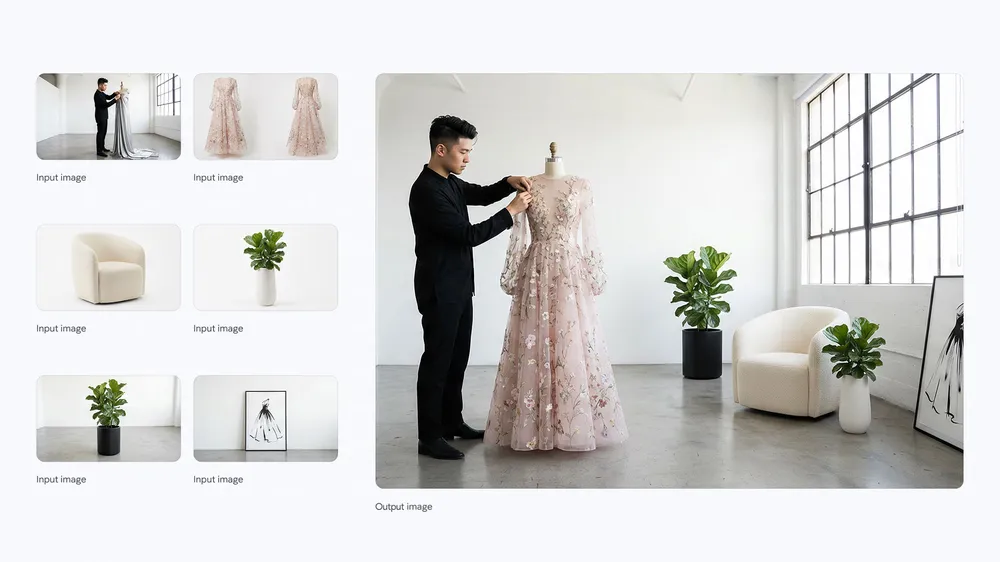
Typical uses: putting a founder in front of their product render, building ad creatives from brand assets, or generating consistent storybook pages from character sheets.
Character Consistency
To keep a character recognizable across generations: (1) generate or upload one strong reference; (2) always attach it when generating new scenes; (3) describe changes in the scene, never re-describe the character's face; (4) reuse the same style keywords every turn.
This workflow powers comics, children's books, brand mascots, and those viral "put me in 10 movie posters" edits.
Prompt Tips That Actually Matter
Do
- • Name a lens or camera for photographic looks
- • Say what should stay fixed during edits
- • Put text in quotes: sign reads "OPEN 24/7"
- • Iterate in small steps instead of one giant rewrite
Avoid
- • Contradictory instructions ("minimalist, highly detailed, baroque")
- • Negative prompts — describe what you want instead
- • Re-describing a referenced face (causes drift)
- • Requesting 4K for quick drafts (slower, rarely needed)
Start Creating
The fastest way to learn Nano Banana Pro is to use it. Generate your first image in under a minute.